Download Oracle Cloud Infrastructure 2025 Networking Professional.1Z0-1124-25.Pass4Success.2026-01-27.16q.vcex
| Vendor: | Oracle |
| Exam Code: | 1Z0-1124-25 |
| Exam Name: | Oracle Cloud Infrastructure 2025 Networking Professional |
| Date: | Jan 27, 2026 |
| File Size: | 23 KB |
How to open VCEX files?
Files with VCEX extension can be opened by ProfExam Simulator.
Discount: 20%

Demo Questions
Question 1
In the context of OCI's Zero Trust Packet Routing, which principle emphasizes the necessity of explicitly defining and enforcing access controls at every stage of network communication?
- Implicit Trust
- Least Privilege
- Perimeter Security
- Network Segmentation
Correct answer: B
Explanation:
Zero Trust Context: Assumes no inherent trust, requiring explicit controls at all network stages.Evaluate Principles:Implicit Trust: Assumes trust, opposite of Zero Trust; incorrect.Least Privilege: Grants minimal access, explicitly enforced; aligns with Zero Trust.Perimeter Security: Relies on boundary protection, not Zero Trust; incorrect.Network Segmentation: Isolates networks, a tactic not a principle; incomplete.Conclusion: Least Privilege is the core principle for explicit access control.Zero Trust Packet Routing in OCI emphasizes Least Privilege. The Oracle Networking Professional study guide states, 'The Least Privilege principle in Zero Trust requires that access controls be explicitly defined and enforced at every network communication stage, ensuring no implicit trust' (OCI Networking Documentation, Section: Zero Trust Networking). This drives granular security policies. Zero Trust Context: Assumes no inherent trust, requiring explicit controls at all network stages.
Evaluate Principles:
Implicit Trust: Assumes trust, opposite of Zero Trust; incorrect.
Least Privilege: Grants minimal access, explicitly enforced; aligns with Zero Trust.
Perimeter Security: Relies on boundary protection, not Zero Trust; incorrect.
Network Segmentation: Isolates networks, a tactic not a principle; incomplete.
Conclusion: Least Privilege is the core principle for explicit access control.
Zero Trust Packet Routing in OCI emphasizes Least Privilege. The Oracle Networking Professional study guide states, 'The Least Privilege principle in Zero Trust requires that access controls be explicitly defined and enforced at every network communication stage, ensuring no implicit trust' (OCI Networking Documentation, Section: Zero Trust Networking). This drives granular security policies.
Question 2
You're tasked with creating a network diagnostic tool using Cloud Shell to test connectivity to various endpoints from within your VCN. To enhance security, you want to ensure the tool only has the necessary permissions to perform network diagnostics (e.g., ping, traceroute, nc). Which IAM principle and associated action(s) provide the MOST restrictive, least-privilege access for Cloud Shell to perform network diagnostic tasks?
- An IAM user with the read permission on all virtual-network-family resources.
- Cloud Shell session using Instance Principals, belonging to a dynamic group with a policy allowing network-security-groups and vnics to be read and used.
- An IAM group with inspect permission on virtual-network-family in the target compartment.
- An IAM group with the use permission on the virtual-network-family aggregate resource in the tenancy.
Correct answer: B
Explanation:
Goal: Apply least privilege for Cloud Shell to run diagnostics (ping, traceroute, nc) within a VCN.Option A: Read permission on all virtual-network-family resources is too broad, granting unnecessary access beyond diagnostics---violates least privilege.Option B: Instance Principals use temporary credentials tied to the Cloud Shell instance, enhancing security. A dynamic group with ''read'' and ''use'' permissions on NSGs and VNICs allows inspecting configurations and running diagnostics (e.g., via VNICs), meeting the exact need---correct.Option C: Inspect permission only provides metadata access, insufficient for running diagnostics (e.g., no ''use'' for traffic)---incorrect.Option D: Use permission on virtual-network-family at tenancy level is overly permissive, granting access to all network resources---violates least privilege.Conclusion: Option B is the most restrictive and secure, aligning with least privilege.Oracle states:'Instance Principals allow services like Cloud Shell to authenticate without static credentials. Policies with 'read' and 'use' on specific resources (e.g., network-security-groups, vnics) enable diagnostics while adhering to least privilege.'This supports Option B. Reference: Instance Principals - Oracle Help Center (docs.oracle.com/en-us/iaas/Content/Identity/Tasks/instanceprincipals.htm). Goal: Apply least privilege for Cloud Shell to run diagnostics (ping, traceroute, nc) within a VCN.
Option A: Read permission on all virtual-network-family resources is too broad, granting unnecessary access beyond diagnostics---violates least privilege.
Option B: Instance Principals use temporary credentials tied to the Cloud Shell instance, enhancing security. A dynamic group with ''read'' and ''use'' permissions on NSGs and VNICs allows inspecting configurations and running diagnostics (e.g., via VNICs), meeting the exact need---correct.
Option C: Inspect permission only provides metadata access, insufficient for running diagnostics (e.g., no ''use'' for traffic)---incorrect.
Option D: Use permission on virtual-network-family at tenancy level is overly permissive, granting access to all network resources---violates least privilege.
Conclusion: Option B is the most restrictive and secure, aligning with least privilege.
Oracle states:
'Instance Principals allow services like Cloud Shell to authenticate without static credentials. Policies with 'read' and 'use' on specific resources (e.g., network-security-groups, vnics) enable diagnostics while adhering to least privilege.'
This supports Option B. Reference: Instance Principals - Oracle Help Center (docs.oracle.com/en-us/iaas/Content/Identity/Tasks/instanceprincipals.htm).
Question 3
You are managing a Site-to-Site VPN connection between your on-premises network and OCI. You notice that the VPN tunnel is frequently dropping and re-establishing. You have verified the internet connectivity at both ends and confirmed that the IKE (Internet Key Exchange) parameters are correctly configured. Which of the following is the most likely cause of the intermittent VPN tunnel disconnections?
- The on-premises Customer-Premises Equipment (CPE) is configured with an incorrect public IP address.
- The OCI Dynamic Routing Gateway (DRG) is experiencing a temporary outage.
- There is a misconfiguration in the security rules, blocking the IKE or ESP (Encapsulating Security Payload) traffic.
- The on-premises firewall is configured with incorrect NAT-Traversal settings.
Correct answer: C
Explanation:
Symptoms: VPN tunnel drops intermittently despite stable internet and IKE settings.VPN Components: Requires IKE (UDP 500/4500) and ESP (IP 50) traffic.Evaluate Options:A: Incorrect CPE IP would prevent tunnel establishment, not intermittent drops; incorrect.B: DRG outage would cause full downtime, not intermittent; unlikely.C: Security rules blocking IKE/ESP intermittently (e.g., rate limiting) is common; most likely.D: NAT-Traversal issues typically prevent initial setup, not intermittent drops; less likely.Conclusion: Security rule misconfiguration is the most probable cause.VPN stability depends on unblocked IKE and ESP traffic. The Oracle Networking Professional study guide notes, 'Intermittent VPN tunnel drops are often caused by security rules or firewalls blocking IKE (UDP 500/4500) or ESP (IP Protocol 50) traffic' (OCI Networking Documentation, Section: Site-to-Site VPN Troubleshooting). This aligns with the scenario's symptoms. Symptoms: VPN tunnel drops intermittently despite stable internet and IKE settings.
VPN Components: Requires IKE (UDP 500/4500) and ESP (IP 50) traffic.
Evaluate Options:
A: Incorrect CPE IP would prevent tunnel establishment, not intermittent drops; incorrect.
B: DRG outage would cause full downtime, not intermittent; unlikely.
C: Security rules blocking IKE/ESP intermittently (e.g., rate limiting) is common; most likely.
D: NAT-Traversal issues typically prevent initial setup, not intermittent drops; less likely.
Conclusion: Security rule misconfiguration is the most probable cause.
VPN stability depends on unblocked IKE and ESP traffic. The Oracle Networking Professional study guide notes, 'Intermittent VPN tunnel drops are often caused by security rules or firewalls blocking IKE (UDP 500/4500) or ESP (IP Protocol 50) traffic' (OCI Networking Documentation, Section: Site-to-Site VPN Troubleshooting). This aligns with the scenario's symptoms.
Question 4
You are deploying a three-tier web application using Infrastructure as Code (IaC) and Oracle Kubernetes Engine (OKE) within a single VCN. The application consists of a public-facing web tier (running in OKE), an application tier, and a database tier. You want to ensure that only the web tier can access the application tier, and only the application tier can access the database tier. You are leveraging Network Security Groups (NSGs) for granular access control. Your IaC code successfully creates all the components, but you are experiencing connectivity issues. Specifically, Pods in the web tier cannot reach the application tier. Reviewing your IaC configuration, you realize the NSG assignments for the OKE cluster's node pool are misconfigured. Which of the following NSG configuration errors would most likely cause this connectivity issue?
- The NSG associated with the OKE node pool (web tier) allows ingress traffic from 0.0.0.0/0 on port 80, but egress traffic to the application tier's NSG is missing a rule allowing TCP traffic on port 8080 (the port the application tier is listening on).
- The NSG associated with the OKE node pool (web tier) is missing an ingress rule allowing traffic from the VCN CIDR on port 443. This is causing a routing problem within the VCN.
- The NSG associated with the application tier allows ingress traffic from the VCN CIDR, but the NSG associated with the OKE node pool (web tier) has no ingress rules at all. Therefore, the OKE nodes are not reachable.
- The NSG associated with the OKE node pool (web tier) only allows egress traffic to the internet and does not have a rule permitting egress traffic to the application tier's NSG on the required port (8080).
Correct answer: D
Explanation:
Problem: OKE web tier pods cannot reach the application tier.Traffic Flow: Web tier (OKE) initiates outbound (egress) traffic to application tier (port 8080).NSG Role: Controls traffic at VNIC level; must allow egress from OKE and ingress to app tier.Evaluate Options:A: Missing egress rule on OKE NSG blocks traffic; plausible but incomplete context.B: Ingress on OKE NSG affects incoming traffic, not outbound to app tier; incorrect.C: No ingress on OKE NSG doesn't block egress to app tier; incorrect.D: Egress limited to internet blocks app tier access (port 8080); most likely.Conclusion: Missing egress rule to app tier NSG is the primary issue.NSGs require explicit egress rules for outbound traffic. The Oracle Networking Professional study guide notes, 'For OKE pods to communicate with other tiers, the node pool's NSG must include egress rules to the destination NSG or CIDR on the required ports' (OCI Networking Documentation, Section: Network Security Groups with OKE). Option D reflects a common misconfiguration in IaC setups. Problem: OKE web tier pods cannot reach the application tier.
Traffic Flow: Web tier (OKE) initiates outbound (egress) traffic to application tier (port 8080).
NSG Role: Controls traffic at VNIC level; must allow egress from OKE and ingress to app tier.
Evaluate Options:
A: Missing egress rule on OKE NSG blocks traffic; plausible but incomplete context.
B: Ingress on OKE NSG affects incoming traffic, not outbound to app tier; incorrect.
C: No ingress on OKE NSG doesn't block egress to app tier; incorrect.
D: Egress limited to internet blocks app tier access (port 8080); most likely.
Conclusion: Missing egress rule to app tier NSG is the primary issue.
NSGs require explicit egress rules for outbound traffic. The Oracle Networking Professional study guide notes, 'For OKE pods to communicate with other tiers, the node pool's NSG must include egress rules to the destination NSG or CIDR on the required ports' (OCI Networking Documentation, Section: Network Security Groups with OKE). Option D reflects a common misconfiguration in IaC setups.
Question 5
You are designing a solution to implement IPSec encryption over a FastConnect circuit between your on-premises network and OCI. You are concerned about the overhead of IPSec impacting the maximum MTU (Maximum Transmission Unit) size that can be supported. What is the most important factor to consider when determining the MTU size for the IPSec tunnel interfaces in this scenario?
- The available bandwidth of the FastConnect circuit. A larger MTU requires a higher bandwidth connection.
- The smallest MTU supported by any device along the entire network path between your on-premises network and OCI, including the FastConnect provider's network.
- The MTU size of the underlying Ethernet frames used by the FastConnect circuit.
- The fragmentation settings on the DRG in OCI.
Correct answer: B
Explanation:
Concern: IPSec overhead reduces effective MTU.MTU Impact: Must avoid fragmentation, which degrades performance.Evaluate Factors:A: Bandwidth doesn't dictate MTU; incorrect.B: Smallest MTU in path (path MTU) prevents fragmentation; most critical.C: Ethernet MTU is a factor but not the limiting one; incomplete.D: DRG fragmentation settings are secondary to path MTU; incorrect.Conclusion: Path MTU is the key determinant to avoid fragmentation.IPSec reduces MTU due to headers. The Oracle Networking Professional study guide explains, 'When configuring IPSec over FastConnect, the most important factor is the smallest MTU supported along the entire path to prevent fragmentation and ensure efficient traffic flow' (OCI Networking Documentation, Section: IPSec over FastConnect). Path MTU discovery is critical. Concern: IPSec overhead reduces effective MTU.
MTU Impact: Must avoid fragmentation, which degrades performance.
Evaluate Factors:
A: Bandwidth doesn't dictate MTU; incorrect.
B: Smallest MTU in path (path MTU) prevents fragmentation; most critical.
C: Ethernet MTU is a factor but not the limiting one; incomplete.
D: DRG fragmentation settings are secondary to path MTU; incorrect.
Conclusion: Path MTU is the key determinant to avoid fragmentation.
IPSec reduces MTU due to headers. The Oracle Networking Professional study guide explains, 'When configuring IPSec over FastConnect, the most important factor is the smallest MTU supported along the entire path to prevent fragmentation and ensure efficient traffic flow' (OCI Networking Documentation, Section: IPSec over FastConnect). Path MTU discovery is critical.
Question 6
You are managing an OCI Network Firewall that protects a VCN with multiple subnets. The application team reports intermittent connectivity issues to a specific application server behind the firewall. You suspect the issue might be related to the firewall's stateful inspection. What would be the most efficient way to troubleshoot if the stateful inspection is causing these connectivity issues?
- Disable stateful inspection on the entire Network Firewall to check if the connectivity is restored.
- Create a Network Firewall policy with a specific rule that allows all traffic to/from the affected application server, bypassing inspection.
- Review the Network Firewall logs for denied traffic originating from or destined to the application server.
- Recreate the Network Firewall with a completely different configuration.
Correct answer: C
Explanation:
Identify the Goal: Troubleshoot efficiently to determine if stateful inspection is causing intermittent connectivity issues.Option A Evaluation: Disabling stateful inspection globally removes all security checks, potentially restoring connectivity but disrupting the entire VCN's security. This is inefficient and risky.Option B Evaluation: Creating a bypass rule for the application server avoids inspection, which could confirm the issue but weakens security for that server. It's a workaround, not a diagnostic step, and requires policy changes during troubleshooting.Option C Evaluation: Reviewing firewall logs for denied traffic is targeted and non-disruptive. Logs show if stateful inspection is dropping packets (e.g., due to session timeouts or rule mismatches), directly identifying the cause without altering configurations.Option D Evaluation: Recreating the firewall is highly disruptive, time-consuming, and doesn't guarantee insight into the current issue. It's not a troubleshooting step.Conclusion: Option C is the most efficient, as it leverages logs for precise diagnosis without impacting operations.Per Oracle's Network Firewall documentation:'Network Firewall logs provide detailed information about allowed and denied traffic, including source/destination IPs, ports, and protocols. Use logs to troubleshoot connectivity issues by identifying dropped packets due to stateful inspection or rule mismatches.''Stateful inspection tracks connection states; misconfigurations can lead to dropped sessions.'This confirms logs are the best tool for diagnosing stateful inspection issues. Reference: Network Firewall Overview - Oracle Help Center (docs.oracle.com/en-us/iaas/Content/NetworkFirewall/overview.htm). Identify the Goal: Troubleshoot efficiently to determine if stateful inspection is causing intermittent connectivity issues.
Option A Evaluation: Disabling stateful inspection globally removes all security checks, potentially restoring connectivity but disrupting the entire VCN's security. This is inefficient and risky.
Option B Evaluation: Creating a bypass rule for the application server avoids inspection, which could confirm the issue but weakens security for that server. It's a workaround, not a diagnostic step, and requires policy changes during troubleshooting.
Option C Evaluation: Reviewing firewall logs for denied traffic is targeted and non-disruptive. Logs show if stateful inspection is dropping packets (e.g., due to session timeouts or rule mismatches), directly identifying the cause without altering configurations.
Option D Evaluation: Recreating the firewall is highly disruptive, time-consuming, and doesn't guarantee insight into the current issue. It's not a troubleshooting step.
Conclusion: Option C is the most efficient, as it leverages logs for precise diagnosis without impacting operations.
Per Oracle's Network Firewall documentation:
'Network Firewall logs provide detailed information about allowed and denied traffic, including source/destination IPs, ports, and protocols. Use logs to troubleshoot connectivity issues by identifying dropped packets due to stateful inspection or rule mismatches.'
'Stateful inspection tracks connection states; misconfigurations can lead to dropped sessions.'
This confirms logs are the best tool for diagnosing stateful inspection issues. Reference: Network Firewall Overview - Oracle Help Center (docs.oracle.com/en-us/iaas/Content/NetworkFirewall/overview.htm).
Question 7
You are using the OCI Application Load Balancer (ALB) for your web application. You want to implement a blue/green deployment strategy to minimize downtime during application updates. You have two backend sets: 'blue' (the current version) and 'green' (the new version). What is the most efficient way to switch traffic from the 'blue' backend set to the 'green' backend set using the ALB's traffic management capabilities?
- Update the listener to point directly to the 'green' backend set.
- Create a new listener that points to the 'green' backend set and delete the old listener.
- Use the ALB's routing rules to gradually shift traffic from the 'blue' backend set to the 'green' backend set based on a percentage weight.
- Update the health check policy of the 'blue' backend set to mark all servers as unhealthy, forcing the ALB to send traffic to the 'green' backend set.
Correct answer: C
Explanation:
Goal: Minimize downtime in blue/green deployment with ALB.ALB Capabilities: Supports weighted routing for gradual traffic shifts.Evaluate Options:A: Immediate switch risks downtime if 'green' fails; less efficient.B: Listener swap causes abrupt change; not optimal.C: Gradual shift with weights ensures smooth transition; most efficient.D: Forcing 'blue' unhealthy is disruptive and hacky; inefficient.Conclusion: Weighted routing provides the smoothest transition.ALB supports blue/green via routing rules. The Oracle Networking Professional study guide states, 'Application Load Balancer's routing rules allow weighted traffic distribution between backend sets, enabling blue/green deployments with minimal downtime' (OCI Networking Documentation, Section: Load Balancer Routing). This method ensures stability during updates. Goal: Minimize downtime in blue/green deployment with ALB.
ALB Capabilities: Supports weighted routing for gradual traffic shifts.
Evaluate Options:
A: Immediate switch risks downtime if 'green' fails; less efficient.
B: Listener swap causes abrupt change; not optimal.
C: Gradual shift with weights ensures smooth transition; most efficient.
D: Forcing 'blue' unhealthy is disruptive and hacky; inefficient.
Conclusion: Weighted routing provides the smoothest transition.
ALB supports blue/green via routing rules. The Oracle Networking Professional study guide states, 'Application Load Balancer's routing rules allow weighted traffic distribution between backend sets, enabling blue/green deployments with minimal downtime' (OCI Networking Documentation, Section: Load Balancer Routing). This method ensures stability during updates.
Question 8
Your company is deploying a high-throughput, low-latency financial application on OCI. This application relies on raw TCP connections and requires connection persistence to maintain session state. You anticipate extremely high traffic volume and need a load balancer that can handle millions of concurrent connections with minimal overhead. You also want to use private endpoints. Which OCI load balancing option provides the most appropriate solution to meet these stringent performance and security requirements?
- Regional Load Balancer with TCP load balancing and IP Hash Persistence
- Network Load Balancer with TCP load balancing and 5-Tuple Hash Persistence
- Global Load Balancer with TCP load balancing and Cookie-based Persistence
- Regional Load Balancer with HTTP load balancing and Source IP Hash Persistence
Correct answer: B
Explanation:
Requirements: High throughput, low latency, TCP, persistence, private endpoints.Load Balancer Options:ALB: Layer 7, higher overhead, HTTP-focused.NLB: Layer 4, low overhead, TCP/UDP optimized.Global LB: Global routing, not regional focus.Evaluate Options:A: ALB with IP Hash has overhead; less optimal.B: NLB with 5-Tuple Hash offers low latency, persistence, private support; best fit.C: Global LB with cookies is HTTP-based; incorrect.D: HTTP focus is irrelevant for raw TCP; incorrect.Conclusion: NLB with 5-Tuple Hash meets all criteria.NLB is ideal for high-performance TCP. The Oracle Networking Professional study guide states, 'Network Load Balancer provides low-latency, high-throughput TCP load balancing with 5-Tuple Hash persistence, supporting private endpoints for secure, high-volume applications' (OCI Networking Documentation, Section: Network Load Balancer). This aligns with financial app needs. Requirements: High throughput, low latency, TCP, persistence, private endpoints.
Load Balancer Options:
ALB: Layer 7, higher overhead, HTTP-focused.
NLB: Layer 4, low overhead, TCP/UDP optimized.
Global LB: Global routing, not regional focus.
Evaluate Options:
A: ALB with IP Hash has overhead; less optimal.
B: NLB with 5-Tuple Hash offers low latency, persistence, private support; best fit.
C: Global LB with cookies is HTTP-based; incorrect.
D: HTTP focus is irrelevant for raw TCP; incorrect.
Conclusion: NLB with 5-Tuple Hash meets all criteria.
NLB is ideal for high-performance TCP. The Oracle Networking Professional study guide states, 'Network Load Balancer provides low-latency, high-throughput TCP load balancing with 5-Tuple Hash persistence, supporting private endpoints for secure, high-volume applications' (OCI Networking Documentation, Section: Network Load Balancer). This aligns with financial app needs.
Question 9
In a multi-region OCI environment, which configuration is necessary to allow communication between two VCNs located in different regions through a DRG?
- Attaching an LPG to each VCN and configuring route tables to peer them directly.
- Attaching a Service Gateway to each VCN and enabling transitive routing.
- Attaching each VCN to the same DRG and configuring the appropriate route tables on the DRG.
- Configuring Internet Gateways on each VCN and using public IP addresses for communication.
Correct answer: C
Explanation:
Requirement: Private communication between VCNs in different OCI regions via DRG.Option A: LPGs are for same-region VCN peering, not cross-region---incorrect.Option B: Service Gateways are for OCI service access, not VCN-to-VCN routing---incorrect.Option C: Attaching both VCNs to a single DRG (via Remote Peering Connections implicitly) and configuring route tables enables cross-region communication over OCI's backbone. This is the standard approach.Option D: Internet Gateways use public IPs, which is insecure and not private---incorrect.Conclusion: Option C is the necessary configuration for DRG-based cross-region connectivity.Oracle documentation confirms:'To connect VCNs in different regions, attach each to a DRG using Remote Peering Connections (RPCs). Configure DRG route tables to route traffic between VCN CIDRs.'Option C reflects this setup (RPCs are implied). Reference: VCN Peering Overview - Oracle Help Center (docs.oracle.com/en-us/iaas/Content/Network/Tasks/remoteVCNpeering.htm). Requirement: Private communication between VCNs in different OCI regions via DRG.
Option A: LPGs are for same-region VCN peering, not cross-region---incorrect.
Option B: Service Gateways are for OCI service access, not VCN-to-VCN routing---incorrect.
Option C: Attaching both VCNs to a single DRG (via Remote Peering Connections implicitly) and configuring route tables enables cross-region communication over OCI's backbone. This is the standard approach.
Option D: Internet Gateways use public IPs, which is insecure and not private---incorrect.
Conclusion: Option C is the necessary configuration for DRG-based cross-region connectivity.
Oracle documentation confirms:
'To connect VCNs in different regions, attach each to a DRG using Remote Peering Connections (RPCs). Configure DRG route tables to route traffic between VCN CIDRs.'
Option C reflects this setup (RPCs are implied). Reference: VCN Peering Overview - Oracle Help Center (docs.oracle.com/en-us/iaas/Content/Network/Tasks/remoteVCNpeering.htm).
Question 10
Which OCI service facilitates the creation of a private connection between two VCNs located in different tenancies, without traversing the public internet?
- Internet Gateway
- Service Gateway
- Remote Peering Connection (RPC)
- Dynamic Routing Gateway (DRG) with Local Peering Gateway (LPG)
Correct answer: C
Explanation:
Requirement: Private VCN connection across tenancies.Services:Internet Gateway: Public access; incorrect.Service Gateway: OCI services, not VCNs; incorrect.RPC: Cross-tenancy private peering; correct.DRG with LPG: LPG is intra-region, not cross-tenancy; incorrect.Evaluate Options:A: Public; incorrect.B: Service-focused; incorrect.C: Designed for this scenario; correct.D: Misaligned components; incorrect.Conclusion: RPC is the right service.RPC enables cross-tenancy peering. The Oracle Networking Professional study guide notes, 'Remote Peering Connections (RPCs) establish private connectivity between VCNs in different tenancies over OCI's private backbone' (OCI Networking Documentation, Section: Remote Peering Connections). This ensures no public internet traversal. Requirement: Private VCN connection across tenancies.
Services:
Internet Gateway: Public access; incorrect.
Service Gateway: OCI services, not VCNs; incorrect.
RPC: Cross-tenancy private peering; correct.
DRG with LPG: LPG is intra-region, not cross-tenancy; incorrect.
Evaluate Options:
A: Public; incorrect.
B: Service-focused; incorrect.
C: Designed for this scenario; correct.
D: Misaligned components; incorrect.
Conclusion: RPC is the right service.
RPC enables cross-tenancy peering. The Oracle Networking Professional study guide notes, 'Remote Peering Connections (RPCs) establish private connectivity between VCNs in different tenancies over OCI's private backbone' (OCI Networking Documentation, Section: Remote Peering Connections). This ensures no public internet traversal.
Question 11
When analyzing Flow Logs for a subnet, how can you filter logs to isolate traffic that was rejected due to a specific security list rule?
- By filtering on the 'action' field with the value 'REJECT' and the 'securityListRule' field with the rule ID
- By filtering on the 'status' field with the value 'DENIED' and the 'securityRule' field with the rule name
- By filtering on the 'direction' field with the value 'EGRESS' and the 'port' field with the rule port
- By filtering on the 'type' field with the value 'SECURITY' and the 'rule' field with the rule number
Correct answer: A
Explanation:
Goal: Filter Flow Logs for traffic rejected by a specific security list rule.Option A: ''action'' = ''REJECT'' identifies rejected traffic; ''securityListRule'' with rule ID pinpoints the exact rule---correct.Option B: ''status'' and ''securityRule'' aren't standard Flow Log fields (''action'' and ''securityListRule'' are)---incorrect.Option C: ''direction'' and ''port'' filter traffic but don't specify rejection or rule---incorrect.Option D: ''type'' and ''rule'' aren't valid Flow Log fields---incorrect.Conclusion: Option A is the precise filtering method.Oracle states:'In Flow Logs, use the 'action' field ('REJECT') and 'securityListRule' field (rule ID) to filter traffic rejected by a specific security list rule.''This validates Option A. Reference: Flow Logs Fields - Oracle Help Center (docs.oracle.com/en-us/iaas/Content/Network/Concepts/flowlogs.htm#fields). Goal: Filter Flow Logs for traffic rejected by a specific security list rule.
Option A: ''action'' = ''REJECT'' identifies rejected traffic; ''securityListRule'' with rule ID pinpoints the exact rule---correct.
Option B: ''status'' and ''securityRule'' aren't standard Flow Log fields (''action'' and ''securityListRule'' are)---incorrect.
Option C: ''direction'' and ''port'' filter traffic but don't specify rejection or rule---incorrect.
Option D: ''type'' and ''rule'' aren't valid Flow Log fields---incorrect.
Conclusion: Option A is the precise filtering method.
Oracle states:
'In Flow Logs, use the 'action' field ('REJECT') and 'securityListRule' field (rule ID) to filter traffic rejected by a specific security list rule.''
This validates Option A. Reference: Flow Logs Fields - Oracle Help Center (docs.oracle.com/en-us/iaas/Content/Network/Concepts/flowlogs.htm#fields).
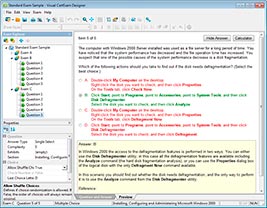
HOW TO OPEN VCE FILES
Use VCE Exam Simulator to open VCE files
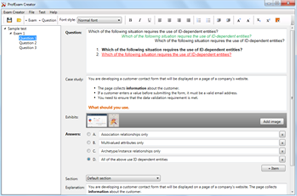
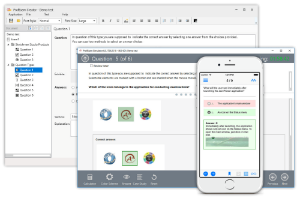
HOW TO OPEN VCEX AND EXAM FILES
Use ProfExam Simulator to open VCEX and EXAM files
ProfExam at a 20% markdown
You have the opportunity to purchase ProfExam at a 20% reduced price
Get Now!