Download Designing and Building Integrated AI Agent Solutions in Copilot Studio.dumpsbase.AB-620.DumpsBase.2026-08-02.45q.vcex
| Vendor: | Microsoft |
| Exam Code: | AB-620 |
| Exam Name: | Designing and Building Integrated AI Agent Solutions in Copilot Studio.dumpsbase |
| Date: | Aug 02, 2026 |
| File Size: | 354 KB |
How to open VCEX files?
Files with VCEX extension can be opened by ProfExam Simulator.
Discount: 20%

Demo Questions
Question 1
You are designing a public-facing municipality agent deployed on a city's website. The vast majority of visitors will interact anonymously to ask general questions about public park hours. However, if a resident needs to pay a utility bill, the agent must prompt them to securely log in using the city's Azure AD B2C portal.
How should you configure the authentication strategy to satisfy both requirements?
- Set the authentication to "Manual", configure the Azure AD B2C OAuth2 provider details, and only invoke the "Sign-in" node within the specific utility bill topic.
- Select "Authenticate with Microsoft", ensure Teams Single Sign-On (SSO) is enabled, and use Power Fx to dynamically switch the context based on the web channel.
- Configure Microsoft Entra ID as multi-tenant, enforce "Require user to sign in" globally to ensure payment security, and map social identities to Dataverse.
- Choose "No authentication", and implement a custom MCP tool that uses an HTTP POST request to securely collect the user's password within the chat window.
Correct answer: A
Question 2
You are designing an agent for a public-facing university portal. Prospective students browse courses anonymously, but currently enrolled students can check their grades. The university uses Azure AD B2C for student logins. If a student asks for their grades, the agent must securely authenticate them.
How should you configure the authentication strategy?
- Select "Authenticate with Microsoft", ensure Teams SSO is enabled, and use Power Fx to dynamically switch the context based on the channel.
- Choose "No authentication", and implement a custom MCP tool that uses an HTTP POST request to securely collect the student's portal password within the chat window.
- Set the authentication mode to "Manual", configure the Azure AD B2C OAuth2 settings, and invoke a "Sign-in" node exclusively within the specific grade-checking topic.
- Configure the authentication to "Manual" and deploy a Power Fx ParseJSON() loop to validate the user's social media credentials against a Dataverse virtual table.
Correct answer: C
Explanation:
The syllabus covers "Plan identity strategy" and "Design agents for internal or external audiences." For a hybrid scenario requiring both anonymous public access and authenticated private access using third-party logins (Azure AD B2C), you must use "Manual" authentication. Because anonymous access is explicitly required for general inquiries, you must NOT mandate global sign-in; instead, you trigger the "Sign-in" node strictly when the user enters the protected topic.Option A is incorrect because "Authenticate with Microsoft" is designed exclusively for internal organizational users relying on Microsoft Entra ID.Option B is a massive security phishing violation; you must never prompt a user to type plain-text passwords directly into a chatbot window.Option D is incorrect as Power Fx loops are not used to validate credentials manually against Dataverse.
Question 3
You have deployed a Copilot Studio agent to production. The business requires custom telemetry to track specific user interactions, such as whenever a user clicks "Helpful" or "Not Helpful" on a custom Adaptive Card. The native Copilot Studio analytics dashboard does not provide this level of custom event tracking.
Which integration should you natively configure?
- Configure an A2A multi-agent telemetry loop to continuously sample the conversational state and store the custom metrics in a Dataverse virtual table.
- Deploy a Fabric Data Agent configured with an On-premises Data Gateway to export the internal Copilot Studio execution logs into a Parquet format for OneLake analysis.
- Connect the Copilot Studio agent to Azure Application Insights, and use the "Log custom telemetry event" action within your topics to natively track these granular metrics.
- Configure a Model Context Protocol (MCP) server to intercept the adaptive card submission payload and calculate the user sentiment using an Azure Foundry prompt.
Correct answer: C
Explanation:
The syllabus covers "Monitor agents by using Application Insights." While native Copilot Studio analytics provide broad conversational metrics, Azure Application Insights is the standard enterprise tool for deep diagnostics and custom event tracking. By connecting your agent to App Insights, you can explicitly use the "Log custom telemetry event" action within your topics to natively track custom business metrics (like feedback button clicks).Option A is a bizarre architectural anti-pattern; using A2A loops to sample execution state will cause massive performance degradation.Option B is an extremely over-engineered trap; you do not use enterprise data lakes (Fabric) simply to track custom telemetry clicks.Option D is a highly verbose technical hallucination; MCP servers are for tool execution, not for intercepting UI payloads to calculate sentiment.
Question 4
You are designing an agent flow for processing IT hardware requests. If a user requests a new laptop exceeding $2,000, the AI must not automatically trigger the procurement API. Instead, the process must pause, send an Adaptive Card with the request details to the IT Manager via Microsoft Teams, and wait until the manager clicks "Approve" or "Reject.".
Which architectural approach should you implement?
- Create a human-in-the-loop (HITL) agent flow by integrating an Approval action (such as the Approvals connector) that routes the request to the manager and waits for the response.
- Implement an A2A protocol loop that repeatedly polls a Dataverse table until the human manager updates the record status.
- Implement a custom Power Fx script to compile the transcript into a JSON payload, then invoke an MCP server to translate the context into an adaptive card.
- Create an Agent-to-Agent (A2A) orchestration where a secondary agent repeatedly asks the user to provide the manager's Entra ID credentials in the chat.
Correct answer: A
Explanation:
The syllabus covers "Create a human-in-the-loop agent flow." For business scenarios requiring explicit human authorization mid-process, the standard methodology is to integrate a Power Automate "Approvals" action into the agent flow. This officially creates a Human-in-the-Loop (HITL) architecture by suspending the chat flow until the manager responds to the card.Option B is a catastrophic anti-pattern; continuously polling a Dataverse table in an infinite loop drains compute resources.Option C is a jargon trap; MCP servers expose local tools to AI securely, they do not compile transcripts or orchestrate human approval routing.Option D is a severe security violation; asking an employee for their manager's credentials is strictly prohibited.
Question 5
You are building a primary Copilot Studio agent for customer support. A separate, highly specialized agent was built by the data science team in Microsoft Foundry to perform complex predictive maintenance calculations. When a customer asks the primary agent about equipment failure predictions, the intent must be seamlessly delegated to the Foundry agent. The Foundry agent must maintain the conversational state, ask clarifying questions, and return the final calculation to the primary agent.
Which integration method is required?
- Implement the Agent-to-Agent (A2A) protocol in Copilot Studio to configure multi-agent collaboration, adding the Foundry agent as a tool.
- Add an HTTP request node to post the user's prompt to the Foundry REST API, and use a complex Power Fx ParseJSON() function to map the stateless response.
- Export the Copilot Studio agent as a managed solution, import it into the Microsoft Foundry portal, and configure an Application Insights telemetry pipeline to bridge the user intents between the two models.
- Deploy a Fabric data agent configured with a custom MCP tool to continuously poll the Generative Answers node and translate the Foundry model's schema into an Adaptive Card.
Correct answer: A
Explanation:
The Agent-to-Agent (A2A) protocol is the official, out-of-the-box standard for multi-agent collaboration in Copilot Studio. It allows a primary agent to securely invoke a secondary agent (such as a Foundry agent) as a tool, natively maintaining the conversational state and permitting the secondary agent to conduct multi-turn follow-ups.Option B is incorrect because standard HTTP requests are inherently stateless and do not natively support multi-turn conversational handoffs.Option C is a distractor filled with unrelated terminology; you cannot merge conversational agents by importing solutions into Foundry, and Application Insights is purely for logging.Option D is a massive architectural hallucination mixing Fabric, MCP, and polling loops incorrectly.
Question 6
You have successfully built and tested a standalone Copilot Studio agent in your organization's Development environment. To comply with Application Lifecycle Management (ALM) standards, you must migrate this agent to the Production environment using Power Platform Pipelines.
What is your required first step before the agent can be managed by a pipeline?
- Export the agent directly as a Managed Solution from the Development environment and upload it to an Azure AI Search vector database.
- Create a new unmanaged solution (or open an existing one) in the Dataverse environment, and use the "Add existing" action to include the Chatbot/Copilot.
- Store the Development environment URL in a Dataverse Environment Variable and configure a Fabric data agent to resolve the correct destination at runtime.
- Export the agent as a massive Parquet file and use a Fabric Data Agent to securely stream it into the production environment's OneLake storage container.
Correct answer: B
Explanation:
The syllabus explicitly covers "Create a solution" and "Add existing agents to a solution." To move any resource (including Copilot Studio agents) out of an environment and manage it via ALM pipelines, the fundamental first step is to create an Unmanaged Solution (or open an existing one) and use the "Add existing" feature to package the agent components.Option A is incorrect; you cannot directly export an agent as a Managed Solution unless it is already inside a solution, and you do not upload solutions to vector databases.Option C is a Fabric-related trap that has nothing to do with packaging an agent.Option D is an absurd technical hallucination; agents are not exported as big-data Parquet files into Fabric data lakes.
Question 7
You are designing a human-in-the-loop (HITL) agent flow for processing expense reports. If a user submits an expense over $10,000, the Copilot Studio agent must pause execution. It must send the expense details to the Finance Director via Microsoft Teams and wait until the Director clicks "Approve" or "Reject" before executing the final payment API.
How should you implement this architecture?
- Modify the System Fallback topic to securely request the Finance Director's Microsoft Entra ID credentials directly within the employee's chat interface.
- Implement a custom Power Fx script to compile the transcript into a JSON payload, then invoke an MCP server to translate the context into an adaptive card and send it to an external custom dashboard.
- Create a human-in-the-loop (HITL) agent flow by integrating an Approval action (such as the Approvals connector) that routes the request to the Director and waits for their response.
- Create a multi-agent A2A orchestration where a secondary agent repeatedly polls a Dataverse table until the human manager updates the record status.
Correct answer: C
Explanation:
For scenarios requiring human authorization or compliance checks mid-process, the standard methodology is to add an Approval action (via Power Automate) within the agent flow. This creates a true Human-in-the-loop (HITL) architecture by seamlessly suspending the flow until the targeted user responds to the Adaptive Card.Option A is a severe security violation; you must never prompt an employee to type their manager's Entra ID credentials into their chat window.Option B is the longest jargon trap; MCP servers securely expose local tools to AI models, they do not compile transcripts or orchestrate human approval routing.Option D is a catastrophic anti-pattern; continuously polling a Dataverse table in an infinite loop drains compute resources and guarantees workflow timeouts.
Question 8
Your Copilot Studio agent triggers a Power Automate cloud flow to process a customer refund. At the end of the flow's execution, it generates a unique 12-character RefundConfirmationID. The agent must display this ID to the user in the chat interface.
How should you ensure this data is passed from the flow back to the agent correctly?
- Store the ID in a Global variable (e.g., Global.RefundID) and use an Azure Foundry custom prompt to explicitly bind the schema across the session.
- Create a Fabric Data Agent to parse the JSON schema into OneLake, then utilize the A2A protocol to stream the structured data into the Generative Answers node.
- Store the RefundConfirmationID in a Dataverse Environment Variable and use the Power Fx Json() function to dynamically render the confirmation message.
- Add an output parameter in the "Return value(s) to Copilot" action within the flow, assign the ID to it, and insert the resulting variable into the Copilot Studio message node.
Correct answer: D
Explanation:
The syllabus covers "Add input and output parameters." To pass data back from a Power Automate cloud flow into a Copilot Studio conversation, you must define an Output Parameter within the final flow action ("Return value(s) to Copilot"). Once mapped in the flow, this parameter immediately becomes available as a variable on the Copilot Studio canvas to use in subsequent message nodes.Option A is incorrect; Global variables and Foundry prompts do not natively handle the direct data exchange mechanism between Copilot Studio and Power Automate flows.Option B is an astronomically long jargon trap; deploying enterprise data lakes (Fabric/OneLake) merely to pass a short string is completely illogical.Option C is incorrect; Environment Variables are static configuration settings used for ALM deployments, not dynamic user transactional data.
Question 9
An agent flow executes a Power Automate action using the SharePoint connector to retrieve a file. Occasionally, the file is locked by another user, causing the SharePoint action to return a 423 (Locked) error, which crashes the flow and abruptly ends the chat session.
You must prevent this crash and instead have the agent gracefully reply: "The file is currently in use.
Please try again later."
How should you natively implement this error handling?
- Implement an A2A protocol loop that continuously rejects the response from the primary agent until Application Insights diagnostic telemetry confirms the file is unlocked.
- Modify the global Copilot Studio settings to set the "Strictness" property to High, which automatically suppresses third-party connector API timeout exceptions from reaching the user.
- Utilize a Fabric data agent configured with an MCP tool to wrap the HTTP request, enabling the RAG engine to synthetically hallucinate a valid payload if the original request fails.
- Add a parallel branch or subsequent action in the Power Automate flow, configure its "Run after" setting to trigger on failure of the SharePoint action, and return the custom error message.
Correct answer: D
Explanation:
The syllabus covers "Implement error handling in agent flows." Within the underlying Power Automate flow, the standard architectural method to handle action failures (like a 423 file locked error) is to use the "Configure run after" setting. By setting a subsequent action to run only if the previous action "has failed," you catch the error and can safely pass a graceful failure message back to Copilot Studio.Option A is a bizarre architectural anti-pattern; building an infinite A2A loop that relies on telemetry logs will cause immediate workflow timeouts.Option B is incorrect because the "Strictness" property strictly controls the hallucination boundaries of the LLM; it cannot intercept network exceptions.Option C is a compliance violation and jargon trap; you must never allow an AI engine to "synthetically generate" fake business data.
Question 10
During a conversation, your agent retrieves a complex JSON response containing temporary flight booking details from an airline API. You must map this JSON data to an Adaptive Card to display a ticket. This data must only exist for the duration of the current conversation and must be cleared immediately when the session ends or the topic concludes, ensuring strict data privacy.
Which variable management method should you use?
- Store the JSON response in a Topic-level variable (e.g., Topic.FlightData) and use Power Fx to bind its properties to the Adaptive Card node.
- Create a Fabric Data Agent to parse the JSON schema into OneLake, then utilize the A2A protocol to stream the structured data into the Generative Answers node.
- Save the JSON data into a Dataverse Environment Variable and use the Power Fx Json() function to dynamically render the Adaptive Card.
- Store the JSON payload in a Global variable (e.g., Global.FlightData) and use a Foundry custom prompt to bind the schema.
Correct answer: A
Explanation:
A Topic-level variable restricts the data's lifecycle exclusively to the current topic within the conversational session. Once the topic ends, the data is automatically cleared, perfectly satisfying the strict data privacy requirement. Power Fx is the standard method to map this dynamic JSON data into Adaptive Card payloads.Option B is an extreme architectural trap; deploying an enterprise data lake (Fabric/OneLake) merely to hold a temporary JSON string for UI rendering is highly illogical.Option C is incorrect because Environment Variables are static configuration settings used for ALM deployments, not dynamic transactional data stores.Option D is incorrect because a Global variable persists across sessions; old flight data would remain if the user returned hours later.
Question 11
Your development team uses a highly secure, internally developed tool to query Git commit histories. The tool is hosted on a local network server and is built to comply with an open-source standard designed to securely expose local file systems and tools to AI models without complex custom API wrappers.
Based on the exam syllabus, which feature should you configure in Copilot Studio to integrate this tool?
- Configure an Agent2Agent (A2A) protocol layer to route a Generative Answers node directly to the developer's localhost port.
- Write a Power Automate cloud flow to translate the local protocol's schema into a standard custom connector, packed in an unmanaged solution.
- Configure a Model Context Protocol (MCP) tool connection, pointing to the local server, allowing the agent to natively discover and invoke the tool.
- Deploy a Fabric data agent with an On-premises Data Gateway to actively synchronize the entire local Git repository folder structure into a massive Dataverse virtual table.
Correct answer: C
Explanation:
The Model Context Protocol (MCP) is precisely the industry-standard, open-source protocol mentioned in the scenario. It is explicitly designed to allow AI models to securely connect to local data sources and tools natively. Copilot Studio fully supports adding MCP tool connections without requiring extra wrappers.Option A is incorrect; A2A is for multi-agent collaboration, not for network tunneling directly to an arbitrary developer's localhost port.Option B is incorrect; since the system already uses the standard MCP protocol, writing a custom Power Automate flow to forcibly translate schemas is redundant.Option D is the longest trap; synchronizing an entire on-premises Git repository into a cloud Dataverse virtual table is extremely inefficient, costly, and defeats the purpose of real-time tool invocation.
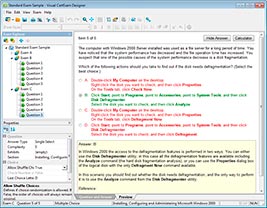
HOW TO OPEN VCE FILES
Use VCE Exam Simulator to open VCE files
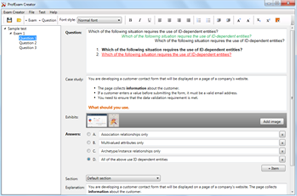
HOW TO OPEN VCEX AND EXAM FILES
Use ProfExam Simulator to open VCEX and EXAM files
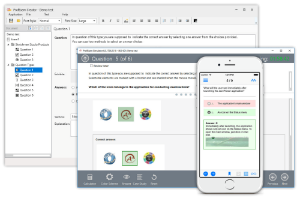
ProfExam at a 20% markdown
You have the opportunity to purchase ProfExam at a 20% reduced price
Get Now!