Download Aruba Certified Campus Access Associate.HPE6-A85.Pass4Success.2026-07-22.47q.vcex
| Vendor: | HP |
| Exam Code: | HPE6-A85 |
| Exam Name: | Aruba Certified Campus Access Associate |
| Date: | Jul 22, 2026 |
| File Size: | 811 KB |
How to open VCEX files?
Files with VCEX extension can be opened by ProfExam Simulator.
Discount: 20%

Demo Questions
Question 1
What is the correct command to add a static route to a class-c-network 10.2.10.0 via a gateway of 172.16.1.1?
- ip-route 10.2.10.0/24 172.16.1.1
- ip route 10.2.10.0.255.255.255.0 172.16.1.1 description aruba
- ip route 10.2.10.0/24.172.16.11
- ip route-static 10.2 10.0.255.255.255.0 172.16.1.1
Correct answer: A
Explanation:
The correct command to add a static route to a class-c-network 10.2.10.0 via a gateway of 172.16.1.1 is ip-route 10.2.10.0/24 172.16.1.1 . This command specifies the destination network address (10.2.10.0) and prefix length (/24) and the next-hop address (172.16.1 .1) for reaching that network from the switch. The other commands are either incorrect syntax or incorrect parameters for adding a static route. Reference: https://www.arubanetworks.com/techdocs/AOS-CX_10_04/NOSCG/Content/cx-noscg/ip-routing/static-routes.htmTo add a static route in network devices, including Aruba switches, the correct command format generally includes the destination network, subnet mask (or CIDR notation for the mask), and the next-hop IP address. The command 'ip route 10.2.10.0/24 172.16.1.1' correctly specifies the destination network '10.2.10.0' with a class C subnet mask indicated by '/24', and '172.16.1.1' as the next-hop IP address. This command is succinct and follows the standard syntax for adding a static route in many network operating systems, including ArubaOS-CX. The other options either have incorrect syntax or include additional unnecessary parameters that are not typically part of the standard command to add a static route.
Question 2
What is the recommended VSF topology? (Select two.)
- Star
- Daisy chain plus MAD
- Full mesh
- Full mesh plus MAD
- Ring
Correct answer: B, E
Explanation:
Only: Daisy chain plus MAD and ring are the recommended VSF topologies for Aruba switches. They provide high availability and redundancy for the VSF stack. MAD (Multiple Active Detection) is a mechanism to detect and resolve split-brain scenarios in a VSF stack. Reference: https://www.arubanetworks.com/techdocs/AOS-CX/10.04/HTML/5200-6790/GUID-D6EF042E-EEEF-49F7-B67E-4CAC41CCB24D.html
Question 3
Describe the purpose of the administrative distance
- Routes teamed via external BGP have a higher administrative distance than routes learned via OSPF
- The administrative distance is used as a trust rating For route entries
- The administrative distance for a static route is 10
- The higher administrative distance is preferred
Correct answer: B
Explanation:
The administrative distance is used as a trust rating for route entries (B). It is a metric used by routers to select the best path when there are two or more different routes to the same destination from two different routing protocols. The lower the administrative distance value, the more trustworthy the source of the route. For example, a directly connected network has an administrative distance of 0 because it is the most trusted source of routing information. In contrast, routes learned from different routing protocols have higher administrative distances, reflecting their relative trustworthiness.
Question 4
What change does a client make when it roams from one access point to another in a WLAN?
- It changes the destination MAC address on its 802.11 frames.
- It changes the SSID to match the SSID on the new access point.
- It changes its default gateway to the IP of the new access point.
- It changes its association with the new wireless controller's SSID.
Correct answer: A
Explanation:
When a client roams from one access point to another, it must change the destination MAC address on its 802.11 frames to match the new access point to which it is associated. The SSID does not change since it is typically consistent across an entire WLAN, and the default gateway remains the same as long as the client stays within the same IP subnet. The association to a new access point involves updating the destination MAC address in the frames that the client sends.
Question 5
A network technician is using Aruba Central to troubleshoot network issues Which dashboard can be used to view and acknowledge issues when beginning the troubleshooting process?
- the Alerts and Events dashboard
- the Audit Trail dashboard
- the Reports dashboard
- the Tools dashboard
Correct answer: A
Explanation:
The Alerts and Events dashboard displays all types of alerts and events generated for events pertaining to device provisioning, configuration, and user management.You can use the Config icon to configure alerts and notifications for different alert categories and severities1.You can also view the alerts and events in the List view and Summary view2. Reference:1https://www.arubanetworks.com/techdocs/central/latest/content/nms/alerts/configuring-alerts.htm2https://www.arubanetworks.com/techdocs/central/latest/content/nms/alerts/viewing-alerts.htm
Question 6
A network technician is testing a new SSID for a branch office. They are able to connect, get an IP address, and resolve DNS names. However, they are not able to browse the internet.
On the existing SSID at the branch, connectivity to the internet works as expected on the same VLAN as the new SSID. The wireless client should have received a new role to allow internet access.
What should the network technician verify to ensure both SSIDs function in a similar way?
- Verify each SSID's authentication and encryption parameters are enabled and the same.
- Verify that the implicit 'deny all' is the last entry in the firewall policies.
- Verify the new SSID is broadcasting on all the APs at the branch office.
- Verify the firewall policies assigned, making sure the rules are correct and ordered properly.
Correct answer: D
Explanation:
When a network technician encounters an issue where a new SSID does not allow internet access despite successful connectivity and DNS resolution, they should verify the firewall policies associated with the new SSID. The firewall policies must include rules that permit traffic to and from the internet and should be correctly ordered to ensure that they are applied as intended. Since the existing SSID functions correctly, comparing the firewall rules between the two can be a useful method of troubleshooting.
Question 7
Which commands are used to set a default route to 10.4.5.1 on an Aruba CX switch when ln-band management using an SVl is being used?
- iP default-gateway 10.4.5.1
- ip route 0 0 0.070 10.4 5.1 vrf mgmt
- ip route 0.0 0 0/0 10.4.5.1
- default-gateway 10.4.5.1
Correct answer: C
Explanation:
The command that is used to set a default route to 10.4.5.1 on an Aruba CX switch when in-band management using an SVI is being used is ip route 0.0 0 0/0 10.4.5.1 . This command specifies the destination network address (0.0 0 0) and prefix length (/0) and the next-hop address (10.4.5.1) for reaching any network that is not directly connected to the switch. The default route applies to the default VRF Virtual Routing and Forwarding. VRF is a technology that allows multiple instances of a routing table to co-exist within the same router at the same time. VRFs are typically used to segment network traffic for security, privacy, or administrative purposes. , which is used for in-band management traffic that goes through an SVI Switch Virtual Interface. SVI is a virtual interface on a switch that allows the switch to route packets between different VLANs on the same switch or different switches that are connected by a trunk link.An SVI is associated with a VLAN and has an IP address and subnet mask assigned to it12. Reference:1https://www.arubanetworks.com/techdocs/AOS-CX/10_08/HTML/ip_route_4100i-6000-6100-6200/Content/Chp_StatRoute/def-rou.htm2https://www.arubanetworks.com/techdocs/AOS-CX/10_08/HTML/ip_route_4100i-6000-6100-6200/Content/Chp_VRF/vrf-overview.htm
Question 8
A network technician has successfully connected to the employee SSID via 802 1X Which RADIUS message should you look for to ensure a successful connection?
- Authorized
- Access-Accept
- Success
- Authenticated
Correct answer: B
Explanation:
The RADIUS message that you should look for to ensure a successful connection via 802.1X is Access-Accept. This message indicates that the RADIUS server has authenticated and authorized the supplicant (the device that wants to access the network) and has granted it access to the network resources. The Access-Accept message may also contain additional attributes such as VLAN ID, session timeout, or filter ID that specify how the authenticator (the device that controls access to the network, such as a switch) should treat the supplicant's traffic.The other options are not RADIUS messages because:Authorized: This is not a RADIUS message, but a state that indicates that a port on an authenticator is allowed to pass traffic from a supplicant after successful authentication and authorization.Success: This is not a RADIUS message, but a status that indicates that an EAP Extensible Authentication Protocol (EAP) is an authentication framework that provides support for multiple authentication methods, such as passwords, certificates, tokens, or biometrics. EAP is used in wireless networks and point-to-point connections to provide secure authentication between a supplicant (a device that wants to access the network) and an authentication server (a device that verifies the credentials of the supplicant). exchange has completed successfully between a supplicant and an authentication server.Authenticated: This is not a RADIUS message, but a state that indicates that a port on an authenticator has received an EAP-Success message from an authentication server after successful authentication of a supplicant.
Question 9
What is the recommended approach for handling A hacker has altered a user's 3-Way Handshake in order to gain ac?
- The switch with the lower MAC address will discard on one port, while the switch with the higher MAC address will forward on both ports
- Spanning-Tree block state is preventing the Core uplink from having connectivity to the edge
- The switch with the lower MAC address will forward on both ports, while the switch with the higher MAC address will discard on one port
- This approach improves system reliability
Correct answer: D
Explanation:
A stateful firewall would intelligently deny traffic from a hacker attempting to alter a user's 3-Way Handshake to gain access to their session. Stateful firewalls keep track of the state of active connections and can recognize if an incoming packet is part of an established session. This allows them to detect and block unauthorized access attempts that do not match the known state of a connection.
Question 10
After having configured the edge switch uplink as requested your colleague says that they have failed to ping the core You ask your colleague to verify the connection is plugged in and the switch is powered on They confirm that both are correct You attempt to ping the core switch and confirm that the ping is failing.
Knowing the nature of this deployment, what commands might you use to troubleshoot this issued
- Ping 10.11 1 - ping the core to attempt to verify connectivity Show trunk - to verify if the LAG interface was correctly added to the switch Show spanning tree - to check for spanning-tree blocked states Show port-access clients interface all - to view any port-access blocking states or failed authentication attempts on all interfaces Show run interface vlan20 - to double check the layer 3 svi configuration is correct for l_3 connectivity Show lldp neighors - to verify whether you are able to see the Core as an L2 neighbor to verify if the correct links are plugged in to the correct ports
- diagnostic diag cable-diag 1/1/51 diag cable-diag 1/1/52 - to view diagnostic information for the physical link to get a status on any interruptions to Layer 1 connectivity, show ip route - to verify that the default gateway is present in the routing table show ip ospf - to check whether there is a layer 3 routing protocol enabled show ip dns - to view whether there is a valid dns source
- Ping 10.1.1.1 - ping the core to attempt to verify connectivity show lacp agg - to verify which link aggregations are currently configured using which physical ports show lacp int - to verify the LACP status and whether any links are blocking in your topology show lldp neighors - to verify whether you are able to see the Core as an L2 neighbor to verify if the correct links are plugged in to the correct ports show run interface 1/1/51.1/1/52-to ensure the physical interfaces are no-shut and members of the lag show run interface lag 1 - to ensure the correct vlan trunking configuration is applied to the logical interface show run int vlan 20 - to ensure you have the L3 SVI no shut and configured in the correct subnet
- Show run - to view the running configuration of the switch Show run | begin 20 'vlan 20' - to ensure VLAN 20 was correctly added to the database show run | begin 20 'interface vlan 20' - to view the L3 SVI configuration Show run interface 1/1/51.1/1/52 - to ensure the physical interfaces are no shut and were added as members of LAG 1 Show run int lag 1 - to verify LACP mode active was configured to eliminate LACP blocking states
Correct answer: C
Explanation:
These commands might help troubleshoot this issue as they check various aspects of the connectivity between the edge switch and the core switch, such as Layer 3 reachability, Layer 2 adjacency, LACP configuration and status, VLAN trunking configuration, and interface status. Reference: https://www.arubanetworks.com/techdocs/AOS-CX_10_04/CLI/GUID-8F0E7E8B-0F4B-4A3C-AE7F-0F1B5A7F9C5D.html
Question 11
When does the 802.1x authentication process begin when connecting to a secured enterprise mode WLAN?
- After the firewall policies are applied to the session
- After the client completes 802.11 association
- After the captive portal authentication completes
- After the WPA 4-Way Handshake is completed
Correct answer: B
Explanation:
The 802.1x authentication process begins after the client device completes the 802.11 association with the access point but before the WPA 4-Way Handshake. This is part of the EAP (Extensible Authentication Protocol) process, which authenticates the device before allowing full network access.
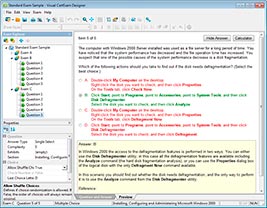
HOW TO OPEN VCE FILES
Use VCE Exam Simulator to open VCE files
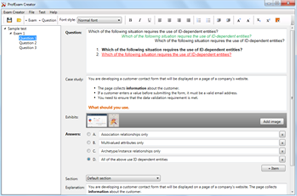
HOW TO OPEN VCEX AND EXAM FILES
Use ProfExam Simulator to open VCEX and EXAM files
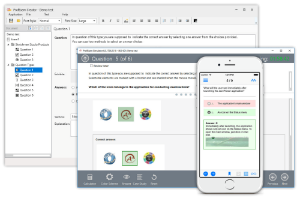
ProfExam at a 20% markdown
You have the opportunity to purchase ProfExam at a 20% reduced price
Get Now!