Download Professional Cloud Developer.Professional-Cloud-Developer.Pass4Success.2026-10-12.116q.vcex
| Vendor: | |
| Exam Code: | Professional-Cloud-Developer |
| Exam Name: | Professional Cloud Developer |
| Date: | Oct 12, 2026 |
| File Size: | 2 MB |
How to open VCEX files?
Files with VCEX extension can be opened by ProfExam Simulator.
Discount: 20%

Demo Questions
Question 1
You have a mixture of packaged and internally developed applications hosted on a Compute Engine instance that is running Linux. These applications write log records as text in local files. You want the logs to be written to Cloud Logging. What should you do?
- Pipe the content of the files to the Linux Syslog daemon.
- Install a Google version of fluentd on the Compute Engine instance.
- Install a Google version of collectd on the Compute Engine instance.
- Using cron, schedule a job to copy the log files to Cloud Storage once a day.
Correct answer: B
Question 2
You are responsible for deploying a new API. That API will have three different URL paths:
* https://yourcompany.com/students
* https://yourcompany.com/teachers
* https://yourcompany.com/classes
You need to configure each API URL path to invoke a different function in your code. What should you do?
- Create one Cloud Function as a backend service exposed using an HTTPS load balancer.
- Create three Cloud Functions exposed directly.
- Create one Cloud Function exposed directly.
- Create three Cloud Functions as three backend services exposed using an HTTPS load balancer.
Correct answer: D
Explanation:
https://cloud.google.com/load-balancing/docs/https/setup-global-ext-https-serverless
Question 3
You are creating a Google Kubernetes Engine (GKE) cluster and run this command:

The command fails with the error:

You want to resolve the issue. What should you do?
- Request additional GKE quota is the GCP Console.
- Request additional Compute Engine quota in the GCP Console.
- Open a support case to request additional GKE quotA.
- Decouple services in the cluster, and rewrite new clusters to function with fewer cores.
Correct answer: A
Question 4
Your analytics system executes queries against a BigQuery dataset. The SQL query is executed in batch and passes the contents of a SQL file to the BigQuery CLI. Then it redirects the BigQuery CLI output to another process. However, you are getting a permission error from the BigQuery CLI when the queries are executed. You want to resolve the issue. What should you do?
- Grant the service account BigQuery Data Viewer and BigQuery Job User roles.
- Grant the service account BigQuery Data Editor and BigQuery Data Viewer roles.
- Create a view in BigQuery from the SQL query and SELECT* from the view in the CLI.
- Create a new dataset in BigQuery, and copy the source table to the new dataset Query the new dataset and table from the CLI.
Correct answer: B
Question 5
You are developing a Java Web Server that needs to interact with Google Cloud services via the Google Cloud API on the user's behalf. Users should be able to authenticate to the Google Cloud API using their Google Cloud identities. Which workflow should you implement in your web application?
- 1) When a user arrives at your application, prompt them for their Google username and password.2) Store an SHA password hash in your application's database along with the user's username.3) The application authenticates to the Google Cloud API using HTTPs requests with the user's username and password hash in the Authorization request header.
- 1) When a user arrives at your application, prompt them for their Google username and password.2) Forward the user's username and password in an HTTPS request to the Google Cloud authorization server, and request an access token.3) The Google server validates the user's credentials and returns an access token to the application.4) The application uses the access token to call the Google Cloud API.
- 1) When a user arrives at your application, route them to a Google Cloud consent screen with a list of requested permissions that prompts the user to sign in with SSO to their Google Account.2) After the user signs in and provides consent, your application receives an authorization code from a Google server.3) The Google server returns the authorization code to the user, which is stored in the browser's cookies.4) The user authenticates to the Google Cloud API using the authorization code in the cookie.
- 1) When a user arrives at your application, route them to a Google Cloud consent screen with a list of requested permissions that prompts the user to sign in with SSO to their Google Account.2) After the user signs in and provides consent, your application receives an authorization code from a Google server.3) The application requests a Google Server to exchange the authorization code with an access token.4) The Google server responds with the access token that is used by the application to call the Google Cloud API.
Correct answer: D
Explanation:
https://developers.google.com/identity/protocols/oauth2#webserverThe Google OAuth 2.0 endpoint supports web server applications that use languages and frameworks such as PHP, Java, Python, Ruby, and ASP.NET. The authorization sequence begins when your application redirects a browser to a Google URL; the URL includes query parameters that indicate the type of access being requested. Google handles the user authentication, session selection, and user consent. The result is an authorization code, which the application can exchange for an access token and a refresh token.
Question 6
You have an application written in Python running in production on Cloud Run. Your application needs to read/write data stored in a Cloud Storage bucket in the same project. You want to grant access to your application following the principle of least privilege. What should you do?
- Create a user-managed service account with a custom Identity and Access Management (IAM) role.
- Create a user-managed service account with the Storage Admin Identity and Access Management (IAM) role.
- Create a user-managed service account with the Project Editor Identity and Access Management (IAM) role.
- Use the default service account linked to the Cloud Run revision in production.
Correct answer: A
Explanation:
https://cloud.google.com/iam/docs/understanding-roles#storage.admin
Question 7
One of your deployed applications in Google Kubernetes Engine (GKE) is having intermittent performance issues. Your team uses a third-party logging solution. You want to install this solution on each node in your GKE cluster so you can view the logs. What should you do?
- Deploy the third-party solution as a DaemonSet
- Modify your container image to include the monitoring software
- Use SSH to connect to the GKE node, and install the software manually
- Deploy the third-party solution using Terraform and deploy the logging Pod as a Kubernetes Deployment
Correct answer: A
Explanation:
https://cloud.google.com/kubernetes-engine/docs/concepts/daemonset#usage_patterns DaemonSets are useful for deploying ongoing background tasks that you need to run on all or certain nodes, and which do not require user intervention. Examples of such tasks include storage daemons like ceph, log collection daemons like fluent-bit, and node monitoring daemons like collectd.
Question 8
You are porting an existing Apache/MySQL/PHP application stack from a single machine to Google Kubernetes Engine. You need to determine how to containerize the application. Your approach should follow Google-recommended best practices for availability. What should you do?
- Package each component in a separate container. Implement readiness and liveness probes.
- Package the application in a single container. Use a process management tool to manage each component.
- Package each component in a separate container. Use a script to orchestrate the launch of the components.
- Package the application in a single container. Use a bash script as an entrypoint to the container, and then spawn each component as a background job.
Correct answer: A
Explanation:
https://cloud.google.com/blog/products/containers-kubernetes/7-best-practices-for-building-containershttps://cloud.google.com/architecture/best-practices-for-building-containers'classic Apache/MySQL/PHP stack: you might be tempted to run all the components in a single container. However, the best practice is to use two or three different containers: one for Apache, one for MySQL, and potentially one for PHP if you are running PHP-FPM.'
Question 9
You are using Cloud Build to build a Docker image. You need to modify the build to execute unit and run
integration tests. When there is a failure, you want the build history to clearly display the stage at which the
build failed.
What should you do?
- Create a Cloud Build build config file with a single build step to compile unit and integration tests.
- Add RUN commands in the Dockerfile to execute unit and integration tests.
- Create a Cloud Build build config file with separate cloud builder steps to compile and execute unit and integration tests.
- Create a Cloud Build build config file that will spawn a separate cloud build pipeline for unit and integration tests.
Correct answer: C
Question 10
You are creating and running containers across different projects in Google Cloud. The application you are developing needs to access Google Cloud services from within Google Kubernetes Engine (GKE).
What should you do?
- Assign a Google service account to the GKE nodes.
- Use a Google service account to run the Pod with Workload Identity.
- Store the Google service account credentials as a Kubernetes Secret.
- Use a Google service account with GKE role-based access control (RBAC).
Correct answer: B
Explanation:
https://cloud.google.com/kubernetes-engine/docs/concepts/workload-identity
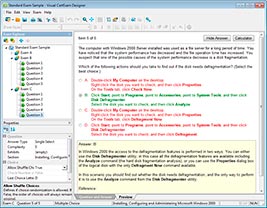
HOW TO OPEN VCE FILES
Use VCE Exam Simulator to open VCE files
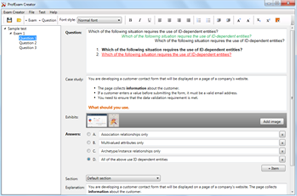
HOW TO OPEN VCEX AND EXAM FILES
Use ProfExam Simulator to open VCEX and EXAM files
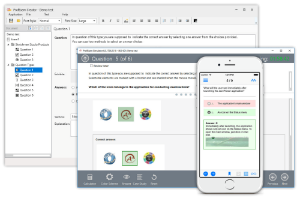
ProfExam at a 20% markdown
You have the opportunity to purchase ProfExam at a 20% reduced price
Get Now!