Download Professional ChromeOS Administrator.ChromeOS-Administrator.ExamTopics.2025-09-25.79q.vcex
| Vendor: | |
| Exam Code: | ChromeOS-Administrator |
| Exam Name: | Professional ChromeOS Administrator |
| Date: | Sep 25, 2025 |
| File Size: | 46 KB |
| Downloads: | 1 |
How to open VCEX files?
Files with VCEX extension can be opened by ProfExam Simulator.
Discount: 20%

Demo Questions
Question 1
A ChromeOS Administrator has deployed ChromeOS devices in their organization. How can the company evaluate the compatibility with future updates following Google’s best practices while still gaining access to new features when they launch?
- Enable "Auto Updates" on all devices on the "Stable", but let the employees in the IT department run their devices on the "Beta channel" so they have time to evaluate and adapt the environment to each update before it reaches Stable.
- Disable "Auto Updates" on all devices and let the admin test the newest release on the "Stable channel" on their own device before rolling it out organization-wide.
- Set 5% of the organization across several departments on the "Beta channel", and configure the rest of the fleet to receive auto updates on the "Stable channel".
- Set the entire fleet to update in accordance with the "Long-term Support (LTS) channel".
Correct answer: C
Explanation:
A: 2 - MostedC: 3 A: 2 - MostedC: 3
Question 2
A customer has a mission-critical workload running on ChromeOS and needs devices configured to reduce ChromeOS changes. How can an admin reduce the risk of an unexpected change in an OS update affecting the customer’s entire ChromeOS device domain while maintaining security and minimizing admin workload?
- Force auto reboot after update
- Enable variations
- Move to a Long-term Support channel
- Add an update rollout plan
Correct answer: C
Explanation:
C: 2 - MostedD: 1 C: 2 - MostedD: 1
Question 3
As a ChromeOS Administrator, you are tasked with blocking incognito mode in the ChromeOS Browser. How would you prevent users from using incognito mode?
- Navigate to "Users & Browser Security Settings" and set the "Disallow incognito mode" policy
- Go to "User & Browser Settings" to restrict sign-in to pattern and "Disallow incognito mode"
- From "Device Settings", change Kiosk settings to "Disallow incognito mode"
- In "Enrollment Settings", disable verified access and incognito mode for content protection
Correct answer: A
Explanation:
A: 1 - Mosted A: 1 - Mosted
Question 4
As an administrator, you would like the ability to see and test upcoming changes to the Google Admin console. How would an admin get access to pre-release features and upcoming ChromeOS device management changes to the Admin console?
- Enroll in the ChromeOS Factory Software Platform
- Join the Chrome Enterprise BETA Testing
- Register for the Chrome Enterprise Trusted Tester Program
- Create a ChromeOS Developer Account
Correct answer: C
Explanation:
C: 1 - Mosted C: 1 - Mosted
Question 5
What are two ways customers can open a support case for ChromeOS? (Choose two.)
- Chat support via the Admin console
- Contact the device manufacturer
- File feedback on the device with Alt + Shift + i
- File case through Customer Care Portal
- Send an email to ChromeOS support
Correct answer: AD
Explanation:
AD: 1 - Mosted AD: 1 - Mosted
Question 6
An admin wants to use a custom extension to install a client certificate on a ChromeOS device so that it can connect to the corporate Wi-Fi.
Which step is necessary to accomplish this?
- Install on the device via guest mode
- Distribute through the Chrome Web Store
- Force-install to the device
- Encode the certificate in DER-encoded format
Correct answer: C
Explanation:
C: 1 - Mosted C: 1 - Mosted
Question 7
Which management feature makes ChromeOS devices a popular choice for IT administrators in educational organizations and enterprises?
- Secure management through on prem infrastructure
- Remote BIOS controls and firmware update
- Centralized management through Admin console
- Inability to remotely control and monitor devices
Correct answer: C
Explanation:
C: 1 - Mosted C: 1 - Mosted
Question 8
As a ChromeOS Administrator, you have been asked to enroll all of your devices into a specific device OU using Zero-Touch Enrollment (ZTE). What are the next steps? (Choose two.)
- Generate a ZTE pre-provision enrollment token for your specified device OU
- Give the company domain name to your Chrome Partner to enable ZTE
- Generate a ZTE pre-provision enrollment token directly for your domain root OU
- Generate a ZTE pre-provision enrollment token for your specified user OU
- Use a dedicated ZTE Admin account for device enrollment
Correct answer: AB
Explanation:
AB: 1 - Mosted AB: 1 - Mosted
Question 9
What is a feature of Verified Boot?
- Makes sure that the firmware and OS have not been tampered with
- Protects anonymous guests from using the device
- Eliminates the need for strict policy controls
- Prevents the user from accessing unauthorized websites
Correct answer: A
Explanation:
A: 1 - Mosted A: 1 - Mosted
Question 10
The security department has been informed that a ChromeOS device was stolen out of an employee’s car. What should you do in the Admin console to ensure the device is rendered inoperable while still maintaining management of the device?
- Tag the ChromeOS device as stolen
- Disable the ChromeOS device
- Powerwash the ChromeOS device
- Deprovision the ChromeOS device
Correct answer: B
Explanation:
B: 4D: 1 - Mosted B: 4D: 1 - Mosted
Question 11
How would you deploy your "Terms of Services" page to all managed ChromeOS devices?
- Navigate to "Chrome Verified Access" and enable the policy for content protection
- Go to "User & Browser" and "Managed Guest Session" settings to upload your terms of service
- In "User & Browser Settings" upload the "Terms of Service" as a wallpaper
- Navigate to "User & Browser" and "Managed Guest Session" settings to upload your custom avatar
Correct answer: B
Explanation:
B: 2 - MostedC: 1 B: 2 - MostedC: 1
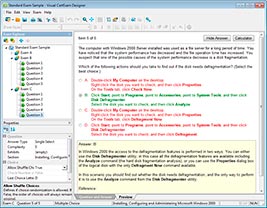
HOW TO OPEN VCE FILES
Use VCE Exam Simulator to open VCE files
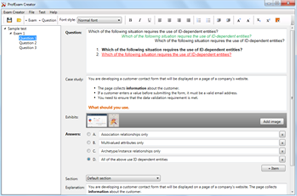
HOW TO OPEN VCEX AND EXAM FILES
Use ProfExam Simulator to open VCEX and EXAM files
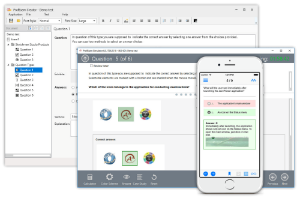
ProfExam at a 20% markdown
You have the opportunity to purchase ProfExam at a 20% reduced price
Get Now!