Download Associate Cloud Engineer.Associate-Cloud-Engineer.Dump4Pass.2025-09-01.262q.vcex
| Vendor: | |
| Exam Code: | Associate-Cloud-Engineer |
| Exam Name: | Associate Cloud Engineer |
| Date: | Sep 01, 2025 |
| File Size: | 875 KB |
| Downloads: | 102 |
How to open VCEX files?
Files with VCEX extension can be opened by ProfExam Simulator.
Discount: 20%

Demo Questions
Question 1
Every employee of your company has a Google account. Your operational team needs to manage a large number of instances on Compute Engine. Each member of this team needs only administrative access to the servers. Your security team wants to ensure that the deployment of credentials is operationally efficient and must be able to determine who accessed a given instance. What should you do?
- Generate a new SSH key pair. Give the private key to each member of your team. Configure the public key in the metadata of each instance.
- Ask each member of the team to generate a new SSH key pair and to send you their public key. Use a configuration management tool to deploy those keys on each instance.
- Ask each member of the team to generate a new SSH key pair and to add the public key to their Google account. Grant the “compute.osAdminLogin” role to the Google group corresponding to this team.
- Generate a new SSH key pair. Give the private key to each member of your team. Configure the public key as a project-wide public SSH key in your Cloud Platform project and allow project-wide public SSH keys on each instance.
Correct answer: C
Explanation:
Reference: https://cloud.google.com/compute/docs/instances/managing-instance-access Reference:
https://cloud.google.com/compute/docs/instances/managing-instance-access
Question 2
You need to create a custom VPC with a single subnet. The subnet’s range must be as large as possible.
Which range should you use?
- 0.0.0.0/0
- 10.0.0.0/8
- 172.16.0.0/12
- 192.168.0.0/16
Correct answer: B
Explanation:
Reference: https://cloud.google.com/vpc/docs/vpc Reference:
https://cloud.google.com/vpc/docs/vpc
Question 3
You want to select and configure a cost-effective solution for relational data on Google Cloud Platform. You are working with a small set of operational data in one geographic location. You need to support point-in-time recovery. What should you do?
- Select Cloud SQL (MySQL). Verify that the enable binary logging option is selected.
- Select Cloud SQL (MySQL). Select the create failover replicas option.
- Select Cloud Spanner. Set up your instance with 2 nodes.
- Select Cloud Spanner. Set up your instance as multi-regional.
Correct answer: A
Explanation:
Reference: Reference: https://cloud.google.com/sql/docs/mysql/backup-recovery/restore Reference:
Reference: https://cloud.google.com/sql/docs/mysql/backup-recovery/restore
Question 4
You want to configure autohealing for network load balancing for a group of Compute Engine instances that run in multiple zones, using the fewest possible steps. You need to configure re-creation of VMs if they are unresponsive after 3 attempts of 10 seconds each. What should you do?
- Create an HTTP load balancer with a backend configuration that references an existing instance group. Set the health check to healthy (HTTP)
- Create an HTTP load balancer with a backend configuration that references an existing instance group. Define a balancing mode and set the maximum RPS to 10.
- Create a managed instance group. Set the Autohealing health check to healthy (HTTP)
- Create a managed instance group. Verify that the autoscaling setting is on.
Correct answer: C
Question 5
You are using multiple configurations for gcloud. You want to review the configured Kubernetes Engine cluster of an inactive configuration using the fewest possible steps. What should you do?
- Use gcloud config configurations describe to review the output.
- Use gcloud config configurations activate and gcloud config list to review the output.
- Use kubectl config get-contexts to review the output.
- Use kubectl config use-context and kubectl config view to review the output.
Correct answer: D
Explanation:
Reference: Reference: https://medium.com/google-cloud/kubernetes-engine-kubectl-config-b6270d2b656c Reference:
Reference: https://medium.com/google-cloud/kubernetes-engine-kubectl-config-b6270d2b656c
Question 6
Your company uses Cloud Storage to store application backup files for disaster recovery purposes. You want to follow Google’s recommended practices. Which storage option should you use?
- Multi-Regional Storage
- Regional Storage
- Nearline Storage
- Coldline Storage
Correct answer: D
Explanation:
Reference: Reference: https://cloud.google.com/storage/docs/storage-classes#nearline Reference:
Reference: https://cloud.google.com/storage/docs/storage-classes#nearline
Question 7
Several employees at your company have been creating projects with Cloud Platform and paying for it with their personal credit cards, which the company reimburses. The company wants to centralize all these projects under a single, new billing account. What should you do?
- Contact [email protected] with your bank account details and request a corporate billing account for your company.
- Create a ticket with Google Support and wait for their call to share your credit card details over the phone.
- In the Google Platform Console, go to the Resource Manage and move all projects to the root Organizarion.
- In the Google Cloud Platform Console, create a new billing account and set up a payment method.
Correct answer: C
Explanation:
Reference: https://cloud.google.com/resource-manager/docs/migrating-projects-billing Reference:
https://cloud.google.com/resource-manager/docs/migrating-projects-billing
Question 8
You have an application that looks for its licensing server on the IP 10.0.3.21. You need to deploy the licensing server on Compute Engine. You do not want to change the configuration of the application and want the application to be able to reach the licensing server. What should you do?
- Reserve the IP 10.0.3.21 as a static internal IP address using gcloud and assign it to the licensing server.
- Reserve the IP 10.0.3.21 as a static public IP address using gcloud and assign it to the licensing server.
- Use the IP 10.0.3.21 as a custom ephemeral IP address and assign it to the licensing server.
- Start the licensing server with an automatic ephemeral IP address, and then promote it to a static internal IP address.
Correct answer: A
Explanation:
Reference: IP 10.0.3.21 is internal by default, and to ensure that it will be static non-changing it should be selected as static internal ip address. Reference:
IP 10.0.3.21 is internal by default, and to ensure that it will be static non-changing it should be selected as static internal ip address.
Question 9
You are deploying an application to App Engine. You want the number of instances to scale based on request rate. You need at least 3 unoccupied instances at all times. Which scaling type should you use?
- Manual Scaling with 3 instances.
- Basic Scaling with min_instances set to 3.
- Basic Scaling with max_instances set to 3.
- Automatic Scaling with min_idle_instances set to 3.
Correct answer: D
Explanation:
Reference: https://cloud.google.com/appengine/docs/standard/python/how-instances-are-managedApp Engine supports the following scaling types, which controls how and when instances are created: Automatic Basic Manual You specify the scaling type in your app's app.yaml. Automatic scalingAutomatic scaling creates instances based on request rate, response latencies, and other application metrics. You can specify thresholds for each of these metrics, as well as a minimum number instances to keep running at all times. Reference: https://cloud.google.com/appengine/docs/standard/python/how-instances-are-managedApp Engine supports the following scaling types, which controls how and when instances are created:
Automatic
Basic
Manual
You specify the scaling type in your app's app.yaml.
Automatic scalingAutomatic scaling creates instances based on request rate, response latencies, and other application metrics.
You can specify thresholds for each of these metrics, as well as a minimum number instances to keep running at all times.
Question 10
You have a development project with appropriate IAM roles defined. You are creating a production project and want to have the same IAM roles on the new project, using the fewest possible steps. What should you do?
- Use gcloud iam roles copy and specify the production project as the destination project.
- Use gcloud iam roles copy and specify your organization as the destination organization.
- In the Google Cloud Platform Console, use the ‘create role from role’ functionality.
- In the Google Cloud Platform Console, use the ‘create role’ functionality and select all applicable permissions.
Correct answer: A
Explanation:
Reference: https://cloud.google.com/sdk/gcloud/reference/iam/roles/copy AS Cloud SDK gcloud iam roles copy can be used to copy the roles to different organization or project. Refer GCP documentation - Cloud SDK IAM Copy Rolegcloud iam roles copy - create a role from an existing role--dest-organization=DEST_ORGANIZATION (The organization of the destination role)--dest-project=DEST_PROJECT (The project of the destination role) Reference: https://cloud.google.com/sdk/gcloud/reference/iam/roles/copy
AS Cloud SDK gcloud iam roles copy can be used to copy the roles to different organization or project.
Refer GCP documentation - Cloud SDK IAM Copy Rolegcloud iam roles copy - create a role from an existing role--dest-organization=DEST_ORGANIZATION (The organization of the destination role)--dest-project=DEST_PROJECT (The project of the destination role)
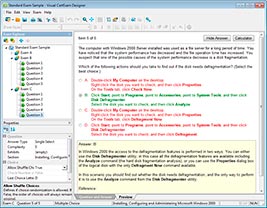
HOW TO OPEN VCE FILES
Use VCE Exam Simulator to open VCE files
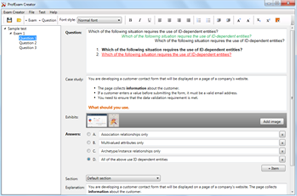
HOW TO OPEN VCEX AND EXAM FILES
Use ProfExam Simulator to open VCEX and EXAM files
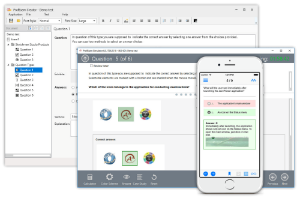
ProfExam at a 20% markdown
You have the opportunity to purchase ProfExam at a 20% reduced price
Get Now!