Download BIG-IP Administration Install, Initial Configuration, and Upgrade.F5CAB1.DumpsBase.2026-07-12.20q.vcex
| Vendor: | F5 |
| Exam Code: | F5CAB1 |
| Exam Name: | BIG-IP Administration Install, Initial Configuration, and Upgrade |
| Date: | Jul 12, 2026 |
| File Size: | 114 KB |
How to open VCEX files?
Files with VCEX extension can be opened by ProfExam Simulator.
Discount: 20%

Demo Questions
Question 1
An F5 BIG-IP Administrator is asked to report which modules are provisioned on the BIG-IP.
In which two ways can this be done? (Choose two.)
- Via the GUI at System → Resource Provisioning → Module Allocation
- Via TMSH with show /sys provision
- Via the GUI at Statistics → Module Statistics → System
- Via TMSH with list /sys provision
Correct answer: A, D
Question 2
When using the tmsh shell of a BIG-IP system, which command will display the management-ip address?
- run /util bash ifconfig mgmt
- list /sys management-ip
- show /sys management-ip
Correct answer: B
Explanation:
Within the BIG-IP Traffic Management Shell (tmsh), system configuration objects―including the management IP―are organized under the /sys hierarchy. The management IP address is a configurable property stored in the system configuration and can be viewed using the tmsh list command, which displays configuration objects and their currently assigned values.Why “list /sys management-ip” is correctThe list command in tmsh is used to display configured system values, not runtime statistics.The object that holds the management IP settings on BIG-IP systems is located at:/sys management-ipRunning the command:list /sys management-ipwill reveal the settings for the management IP interface, including the address, netmask, and any associated attributes.This is the standard method used during system setup and verification to confirm the management IP configuration.This behavior aligns with BIG-IP administration procedures, where configuration information is retrieved using list, while operational data is retrieved using show.Why the other options are incorrectA. run /util bash ifconfig mgmtThis command enters the Bash shell, then runs ifconfig to display the management interface.While this can show the management interface address, it is not a tmsh-native command, and the question specifically asks for a tmsh command.Administrators use tmsh directly for configuration display rather than leaving the shell.C. show /sys management-ipThe show command displays statistics or operational data, not configuration values.The management-ip object does not maintain statistics; therefore show does not return the configuration details required.Only the list command reveals stored configuration data such as IP address and netmask.
Question 3
A BIG-IP Administrator needs to install a HotFix on a standalone BIG-IP device. The device currently has HD1.1 as the Active Boot Location.
The administrator has already reactivated the license and created a UCS archive.
In which sequence should the administrator perform the remaining steps?
- Install HotFix in HD1.2, Install base Image in HD1.2, Activate HD1.2
- Install HotFix in HD1.1, Reboot the BIG-IP device, Install UCS Archive
- Install base Image in HD1.2, Install HotFix in HD1.2, Activate HD1.2
- Activate HD1.2, Install base Image in HD1.2, Install HotFix in HD1.2
Correct answer: C
Explanation:
When installing a software upgrade with a HotFix on BIG-IP, the correct workflow requires:Install the base TMOS image on an unused boot volumeInstall the corresponding HotFix onto that same boot volumeActivate the updated boot volume to boot into the new softwareThis method ensures:The existing active system (HD1.1) is untouchedThe upgrade occurs in a new, clean volume (HD1.2)The HotFix applies properly to the same base imageThe administrator can revert to HD1.1 if issues occurOption C matches the correct F5 upgrade sequence:1. Install base image on HD1.22. Install HotFix on HD1.23. Activate HD1.2Why the other options are incorrect:A. Install HotFix before base imageHotFixes must be applied after the base image; not valid.B. Installing a HotFix on the active boot location (HD1.1)Not recommended and does not use a clean new volume.Also does not involve installing the base image.D. Activating HD1.2 before installing anythingCannot activate an empty or invalid boot volume.Thus, Option C is the correct sequence.
Question 4
The BIG-IP Administrator received a ticket that an authorized user is attempting to connect to the Configuration Utility from a jump host and is being denied.
The HTTPD allow list is configured as:
sys httpd {
allow { 172.28.31.0/255.255.255.0 172.28.65.0/255.255.255.0 }
}
The jump host IP is 172.28.32.22.
What command should the BIG-IP Administrator use to allow HTTPD access for this jump host?
- modify /sys httpd allow replace-all-with { 172.28.32.22 }
- modify /sys httpd allow delete { 172.28.31.0/255.255.255.0 172.28.65.0/255.255.255.0 }
- modify /sys httpd allow add { 172.28.32.22 }
Correct answer: C
Explanation:
The HTTPD allow list controls which IP addresses or subnets may access the Configuration Utility (TMUI) on the BIG-IP system. The Administrator already has two subnets allowed and needs to add a single host IP to the existing list.The object /sys httpd allow supports actions such as add, delete, and replace-all-with.Because the goal is to add one more entry without removing the existing permitted subnets, the correct command is:modify /sys httpd allow add { 172.28.32.22 }This appends the new host to the existing list while preserving the previously configured networks.Why the other options are incorrect:Option A (replace-all-with) would overwrite the entire allow list, removing existing permitted subnets―unacceptable.Option B (delete) would remove the existing networks and not add the required host.Therefore, the correct administrative action is to add the jump host’s IP.
Question 5
Which port is an exception to the Port Lockdown function of Self-IPs if a device-group synchronization cluster is configured?
- TCP 443
- TCP 4353
- UDP 53
Correct answer: B
Explanation:
Self-IPs implement a security feature known as Port Lockdown, which limits which services are reachable on a Self-IP.However, certain services required for BIG-IP device-to-device communication bypass Port Lockdown to ensure cluster and HA functionality.TCP 4353TCP port 4353 is used by Device Service Clustering (DSC) for:Device trust establishmentConfiguration synchronizationFailover communicationBecause BIG-IP devices must always be able to communicate for HA functions to remain operational, port 4353 is exempt from Port Lockdown rules.Why the other options are incorrectA. TCP 443Not required for device trust or synchronization.HTTPS access is fully controlled by Port Lockdown.C.UDP53DNS traffic is not required for synchronization and has no exemption under Port Lockdown.
Question 6
Which two items demonstrate the creation of a new volume for software images? (Choose two.)
- tmsh install software image /shared/images/BIGIP-.iso volume HD1.5 create-volume
- tmsh install /sys software image BIGIP-.iso volume HD1.5 create-volume
- Using the GUI, go to System > Disk Management, select New Volume. In the pop-up window, type the name or number of the new volume and click Apply.
- tmsh install sys software image /shared/images/BIGIP-.iso volume HD1.5 create-volume
- Using the GUI, go to System > Software Management > Available Images > Install, and in the Install Software Image pop-up window, type the new volume name or number and click Install.
Correct answer: A, C
Explanation:
In BIG-IP, software images are installed on boot volumes (for example, HD1.1, HD1.2, HD1.3, etc.).To install software on a new volume, the administrator must instruct the system to create a new boot location before installation.There are two correct ways to create a new volume:A. tmsh command (with correct syntax)tmsh install software image /shared/images/BIGIP-.iso volume HD1.5 create-volumeThis syntax correctly includes:install software imagefull path to ISO (/shared/images/...)volume name (HD1.5)create-volume keywordThis instructs BIG-IP to create the new boot volume as part of the installation.C. Using the GUI → System > Disk ManagementFrom the Disk Management menu, the administrator can:Select “New Volume”Enter the volume identifier (e.g., HD1.5)Apply changesThis GUI method is officially supported and explicitly creates a new boot volume before installing the software.Why the other options are incorrect:B. Incorrect tmsh syntaxMissing /shared/images/ pathIncorrect command structureD. Incorrect command structureMissing required keywords and correct command hierarchyE. Software Management → Install does NOT create volumesThis installs to an existing volume onlyThe GUI install dialog does not create new boot volumesThus, only Option A and Option C properly create a new software volume.
Question 7
A BIG-IP Administrator is using Secure Copy Protocol (SCP) to transfer a TMOS image to the BIG-IP system in preparation for an upgrade.
To what directory should the file be transferred?
- /shared/images/
- /local/images/
- /var/images/
Correct answer: A
Explanation:
BIG-IP systems require all ISO images (base TMOS images and HotFix images) to be stored in a specific directory used for software installation:/shared/images/This directory:Is the only supported location from which the BIG-IP software installation system validates and installs ISO filesIs accessible by both the GUI and TMSH installersHas adequate storage space allocated specifically for images Is part of the shared partition that persists across rebootsWhen transferring images via SCP, the administrator must copy them directly into /shared/images/ so that:The GUI (System → Software Management → Available Images) can detect the image TMSH install software image commands can reference itOther directories such as /local/images/ or /var/images/ are not valid storage paths for software images.
Question 8
A BIG-IP Administrator is responsible for deploying a new software image on an F5 BIG-IP HA pair and has scheduled a one-hour maintenance window.
With a focus on minimizing service disruption, which of the following strategies is the most appropriate?
- Update the active node first, reboot to the newly updated boot location and verify functionality, then push the update from the active to the standby node and reboot the standby node.
- Reset the Device Trust, apply the update to each node separately, reboot both nodes, then re-establish the Device Trust.
- Update the standby node first and reboot it to the newly updated boot location, failover to the newly updated node and verify functionality. Repeat the upgrade procedures on the next node, which is now in standby mode.
- Update both nodes in the HA pair, then reboot both nodes simultaneously to ensure they run the same software version.
Correct answer: C
Explanation:
For BIG-IP high-availability (HA) pairs, F5’s recommended upgrade workflow prioritizes service continuity, predictable failover, and minimal downtime.The established best-practice sequence is:Upgrade the standby unit firstBecause the standby device is not passing traffic, upgrading and rebooting it does not impact production.Boot the standby unit into the newly installed versionOnce online, the administrator verifies basic health, device sync status, cluster communication, and module functionality.Perform a controlled failover to the upgraded unitTraffic shifts to the newly upgraded device, allowing validation of the configuration and operational behavior under real traffic loads.Upgrade the second device (now standby)The previously active device becomes standby after failover, allowing it to be safely upgraded and rebooted without interruption.This phased approach ensures only one device is unavailable at a time, allowing continuous traffic flow throughout the upgrade process.Why the Correct Answer is COption C exactly matches F5’s documented production-safe upgrade method:Upgrade the standby node firstReboot into new imageFailover to upgraded deviceValidateUpgrade the remaining (now-standby) deviceThis procedure minimizes risk and traffic disruption.Why the other options are incorrect:A. Upgrade the active node firstUpgrading the active device requires removing it from service and failing over abruptly. This is not recommended and increases service disruption risk.B. Resetting device trustResetting trust is unnecessary and can disrupt configuration sync, peer communication, and cluster operation. It is not part of any standard upgrade workflow.D. Upgrading and rebooting both nodes simultaneouslyThis would cause total outage, because both HA members would be unavailable at the same time.
Question 9
An organization is planning to upgrade a BIG-IP system from 16.1.x to 17.1.x.
For a successful upgrade, the Service Check Date must be equal to or newer than the License Check Date required for 17.1.x.
Which command will show the Service Check Date on the BIG-IP system being upgraded?
- grep "Service check date" /config/bigip.license
- grep "Service check date" /config/bigip.conf
- grep "Service check date" /config/svc_chk_date.dat
- grep "Service check date" /config/BigD
- dat
Correct answer: A
Explanation:
BIG-IP licensing information, including the Service Check Date, is stored in the file:/config/bigip.licenseThis file contains all license attributes downloaded from the F5 licensing server, including:License keyLicensed modulesUseful life dateService check dateThe Service Check Date determines whether the system is eligible for upgrades to specific TMOS versions. When reviewing upgrade readiness, administrators extract this value directly from the license file with:grep "Service check date" /config/bigip.licenseWhy the other options are incorrect:/config/bigip.conf stores BIG-IP configuration objects, not license metadata./config/svc_chk_date.dat is not a valid file in the licensing system; it does not contain license parameters./config/BigDB.dat stores internal database values, not licensing attributes.Thus, only the bigip.license file contains the correct licensing information required for verifying upgrade eligibility.
Question 10
What are the two options for securing a BIG-IP’s management interface? (Choose two.)
- Limiting network access through the management interface to a trusted/secured network VLAN.
- Block all management-interface administrative HTTPS and SSH service ports to prevent access.
- Use the BIG-IP’s Self-IP addresses for administrative access rather than the management interface.
- Restrict administrative HTTPS and SSH access to specific IP addresses or IP ranges.
Correct answer: A, D
Explanation:
Securing the BIG-IP management interface is a fundamental administrative responsibility. F5 best practices emphasize restricting who can reach the management port and ensuring that only authorized systems are allowed access.A. Limiting management access to trusted network segmentsF5 recommends placing the management interface on a dedicated, isolated, and secured management network or VLAN, rather than exposing it to production or untrusted networks.This reduces the attack surface by ensuring only trusted segments have visibility to administrative interfaces.D. Restricting management access by IP or subnetF5 BIG-IP uses the /sys httpd allow list (for HTTPS) and configuration options in sshd (for SSH) to control which IP addresses or subnets can access the device.By specifying only known administrative IPs or ranges, unauthorized users cannot reach the login services.Why the other options are incorrectB. Blocking all management HTTPS/SSH portsThis would prevent any administrative access and is not a viable security practice.C. Using Self-IP addresses for administrative accessF5 explicitly warns against using Self-IPs for management access unless strictly necessary.Self-IPs are exposed to the data plane and should not be used as the primary administrative interface.
Question 11
For an upgrade of a standalone BIG-IP, a maintenance window is available in which brief interruptions are allowed.
Actions with no impact can be done outside the maintenance window.
When should a license reactivation be performed?
- During the maintenance window.
- Before the maintenance window.
- After the maintenance window.
Correct answer: B
Explanation:
License reactivation updates the BIG-IP device’s license file to ensure:The Service Check Date is currentThe device is eligible to install the intended TMOS version Any module entitlement updates are receivedReactivation does not interrupt traffic and does not require a reboot, making it safe to perform before the maintenance window.F5 best practices state:Perform all non-impact tasks prior to the scheduled maintenance windowLeave the window available for activities that require rebooting, such as the software installation itselfSince license reactivation is non-disruptive, it should be done before the upgrade window starts.
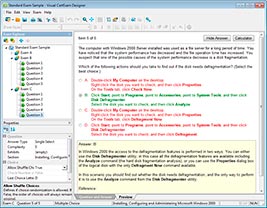
HOW TO OPEN VCE FILES
Use VCE Exam Simulator to open VCE files
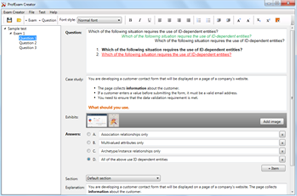
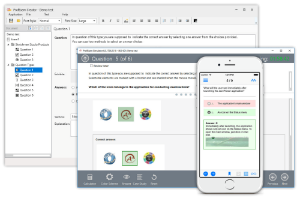
HOW TO OPEN VCEX AND EXAM FILES
Use ProfExam Simulator to open VCEX and EXAM files
ProfExam at a 20% markdown
You have the opportunity to purchase ProfExam at a 20% reduced price
Get Now!